POS system for delivery, pickup and restaurant

Everything runs.
Tonight too.

The till for venues that deliver, hand over pickups and serve at the table all at once — with online shop, apps and a closing that is done by half past midnight.

The DevyPOS till in the Classic design: receipt, customer panel, product groups and number pad

01DevyPOS in the “Classic” design — the receipt on the left, the customer in the middle, the menu on the right. Behind it the payment dialog and the customer display.

Operated in Germany

Your own instance per venue, backed up daily.

11 languages

The till speaks your staff’s language.

We set it up

Menu, delivery zones, printers, training.

Monthly, per venue

One price, no matter how many orders come in.

01The evening

Four steps that repeat a hundred times every evening

Which is exactly why they have to be quick. DevyPOS is built around the way a delivery restaurant works – not around a boutique with three sales a day.

  1. 18:04

    The order comes in

    The phone rings and the customer record is already open – or the order arrives from your online shop and appears in the till straight away.

  2. 18:06

    The kitchen gets the ticket

    The ticket prints where it belongs: pizza oven, grill, counter. Removals such as “no onions” are printed clearly.

  3. 21:15

    The driver leaves

    Several orders in one tour, address and distance in view, return and cash per driver fully traceable.

  4. 00:30

    One closing at night

    Z closing, cash book and driver settlement in one go – instead of a pile of notes after closing time.

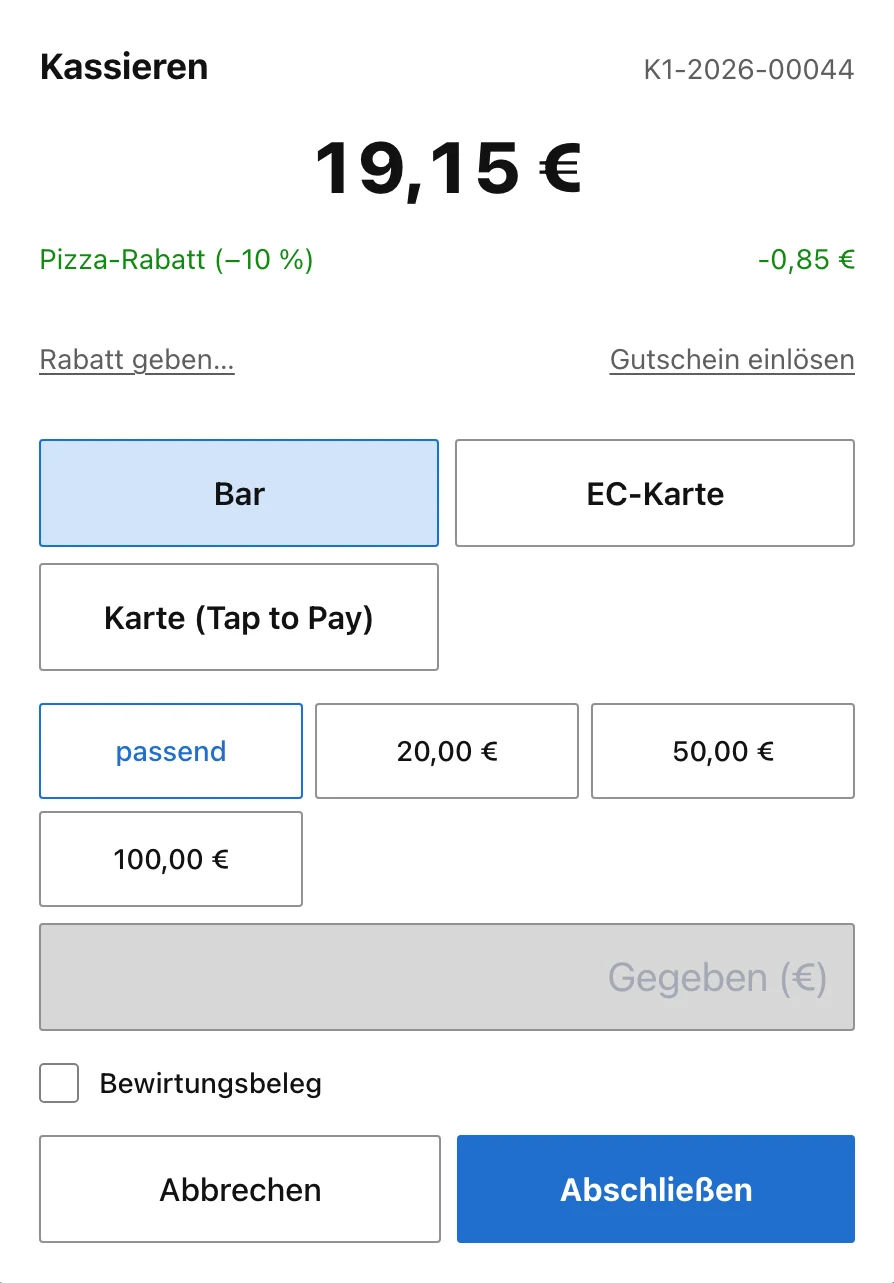
Payment dialog of the till with amount, payment type and change
02Taking payment. Cash, debit card or tap to pay — the amount in large type, discount and voucher next to it, the change worked out by the till.
“Classic” design

The till you already know.

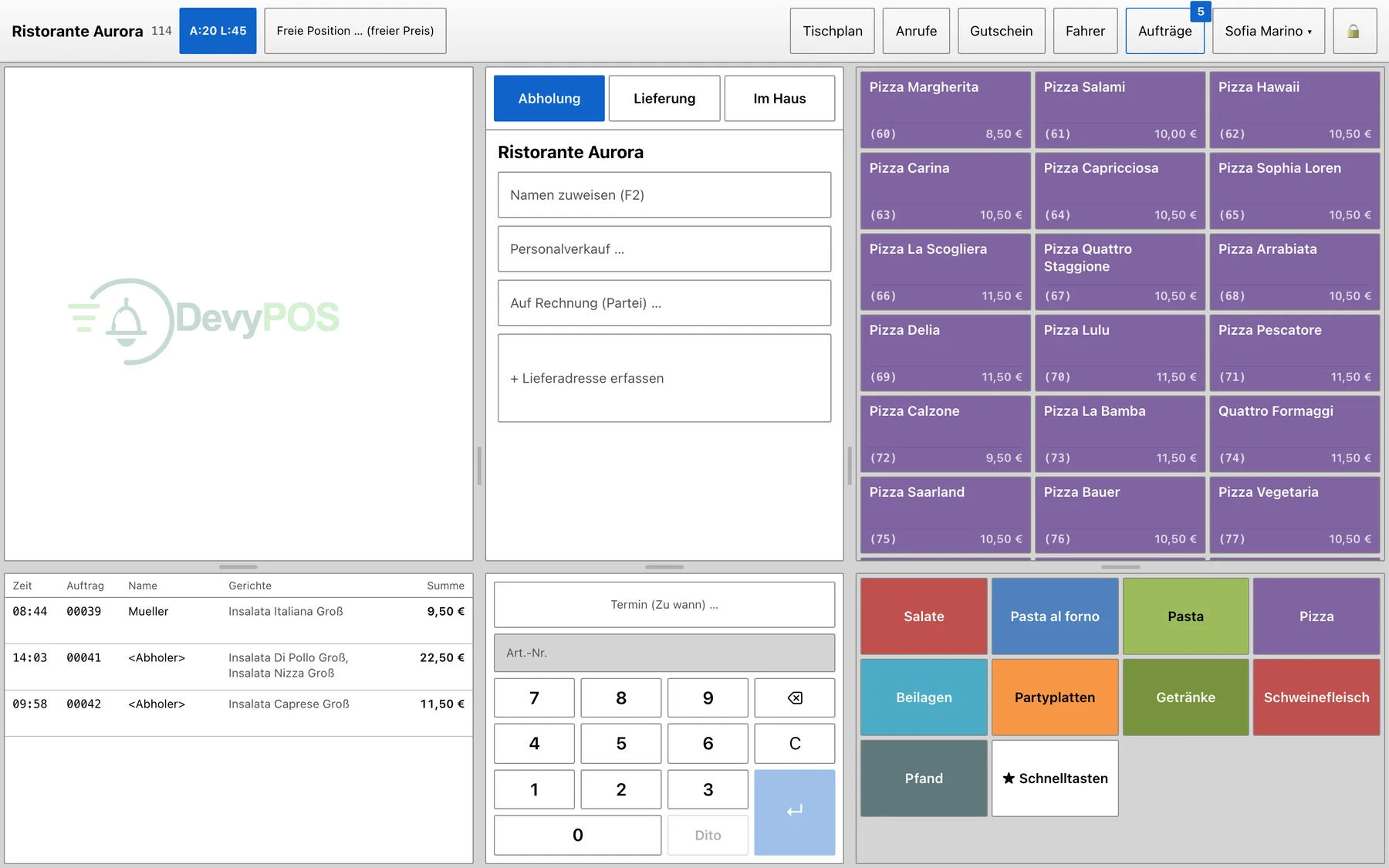
Light surfaces, colour-coded product groups, the receipt in typewriter face and a total you can read from the counter. Anyone coming from an older till keeps working on the first evening without relearning.

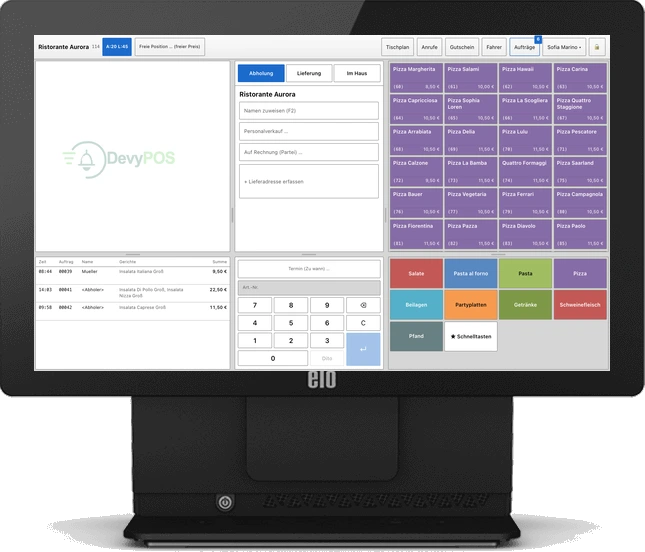
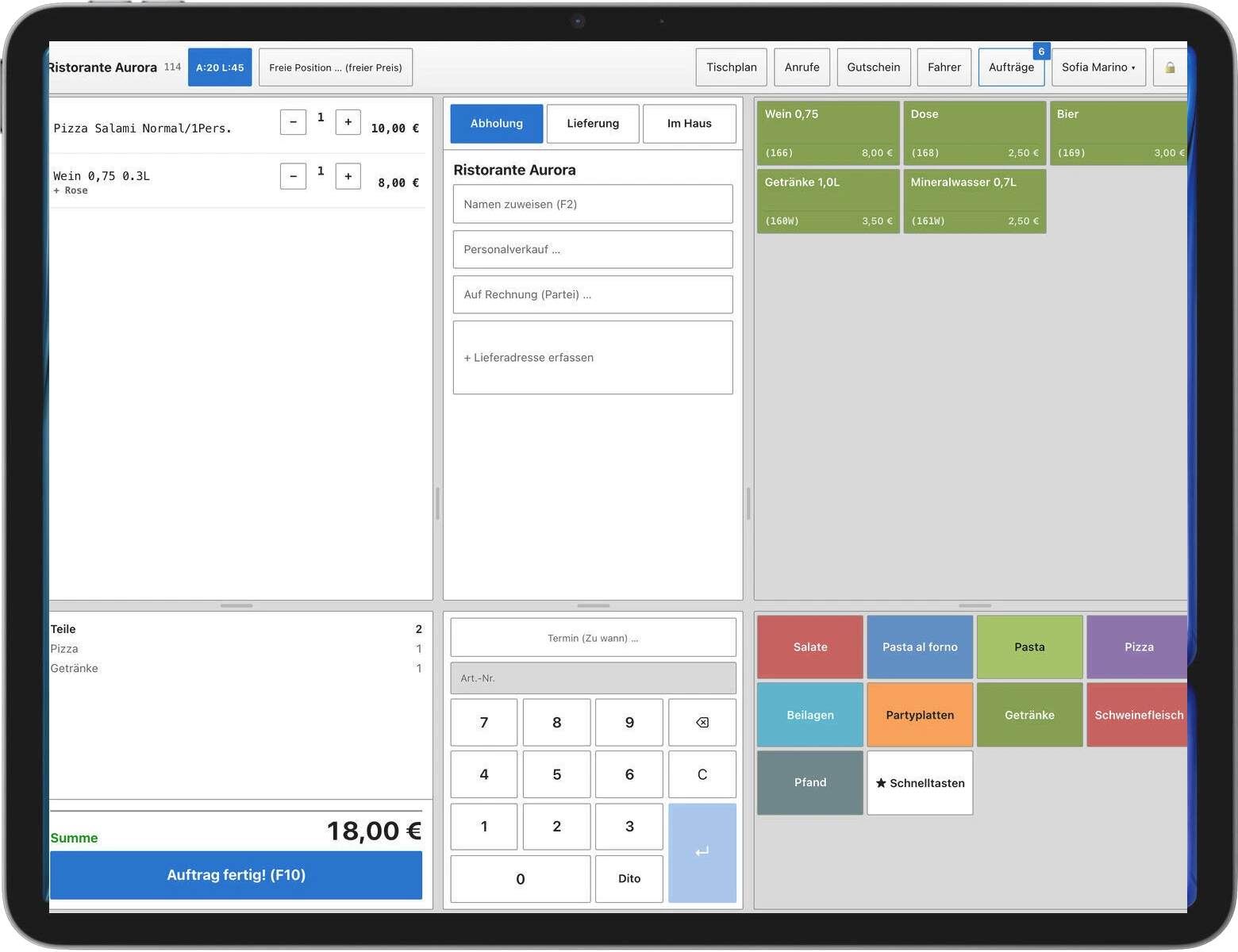
The DevyPOS till in the Classic design: receipt, customer panel, product groups and number pad
03The whole till at a glance: two lines rung up, total €18.50, the customer in the middle, the menu with its product groups on the right. If you prefer dark, calm surfaces, switch to the “Modern” design in the settings — the functions are the same.

The receipt on the left

Line, size, changes — and the big total.

The customer in the middle

Assign a name, staff sale, on account or a new delivery address.

The menu on the right

Items via colour-coded groups, plus quick keys for the bestsellers.

“Family size, no onions, extra cheese.”

Order taking

The phone rings.
The customer is already there.

  • Caller ID

    Known numbers appear with name, address and last order — that saves half a minute on every call.

  • Street directory for all of Germany

    “al schw” is enough for Albert-Schweitzer-Straße. The till fills in postcode, town and district itself.

  • No duplicate customers

    As you type the name the till shows matches; a new number is attached to the existing customer.

  • Honest delivery time

    Distance and driving time sit in the customer header before you promise a time on the phone.

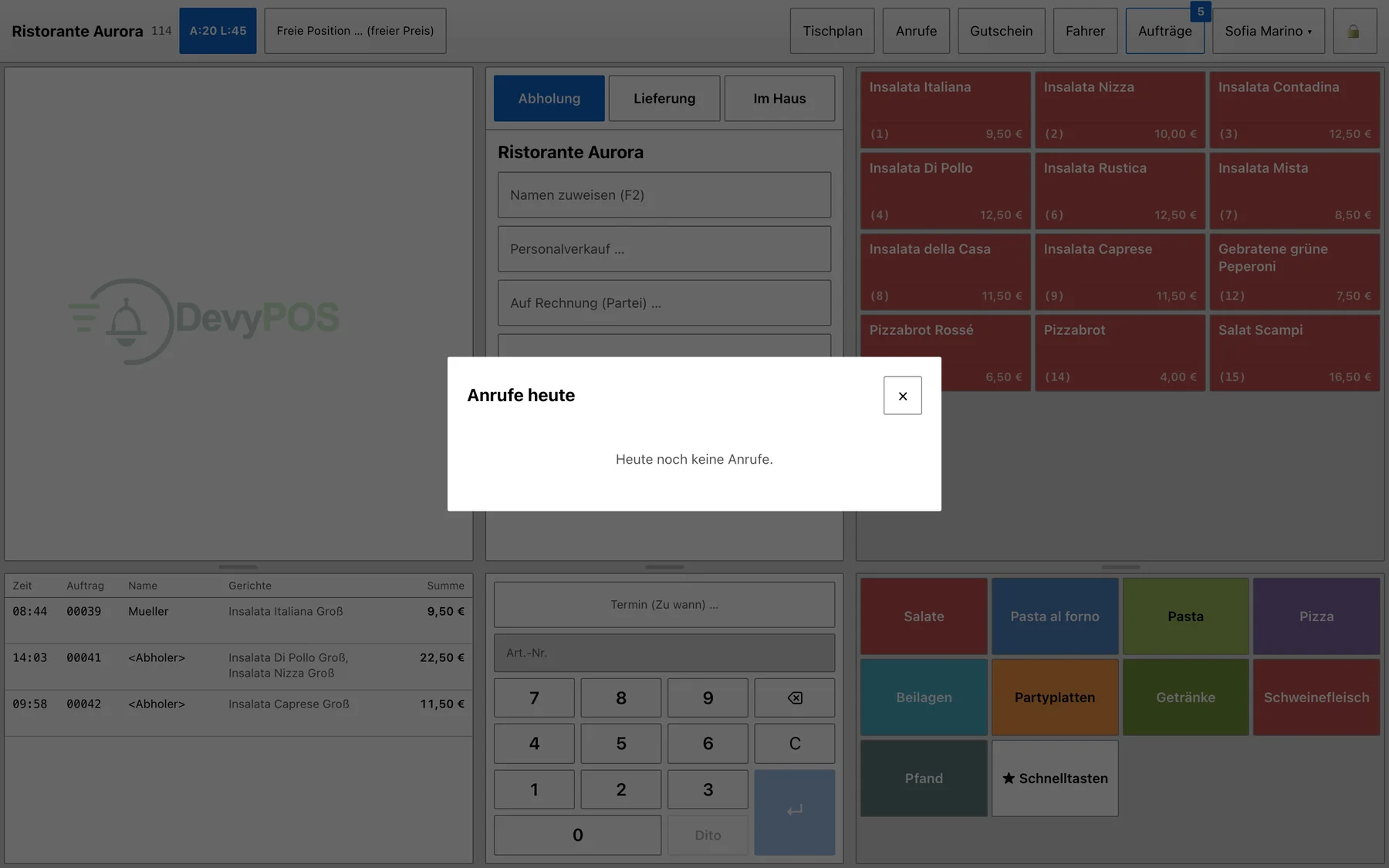
Call monitor of the till with current and today’s calls
04The call monitor. Current and today’s calls, known customers into the order with one tap.
02The staff app

One login.
Three workplaces.

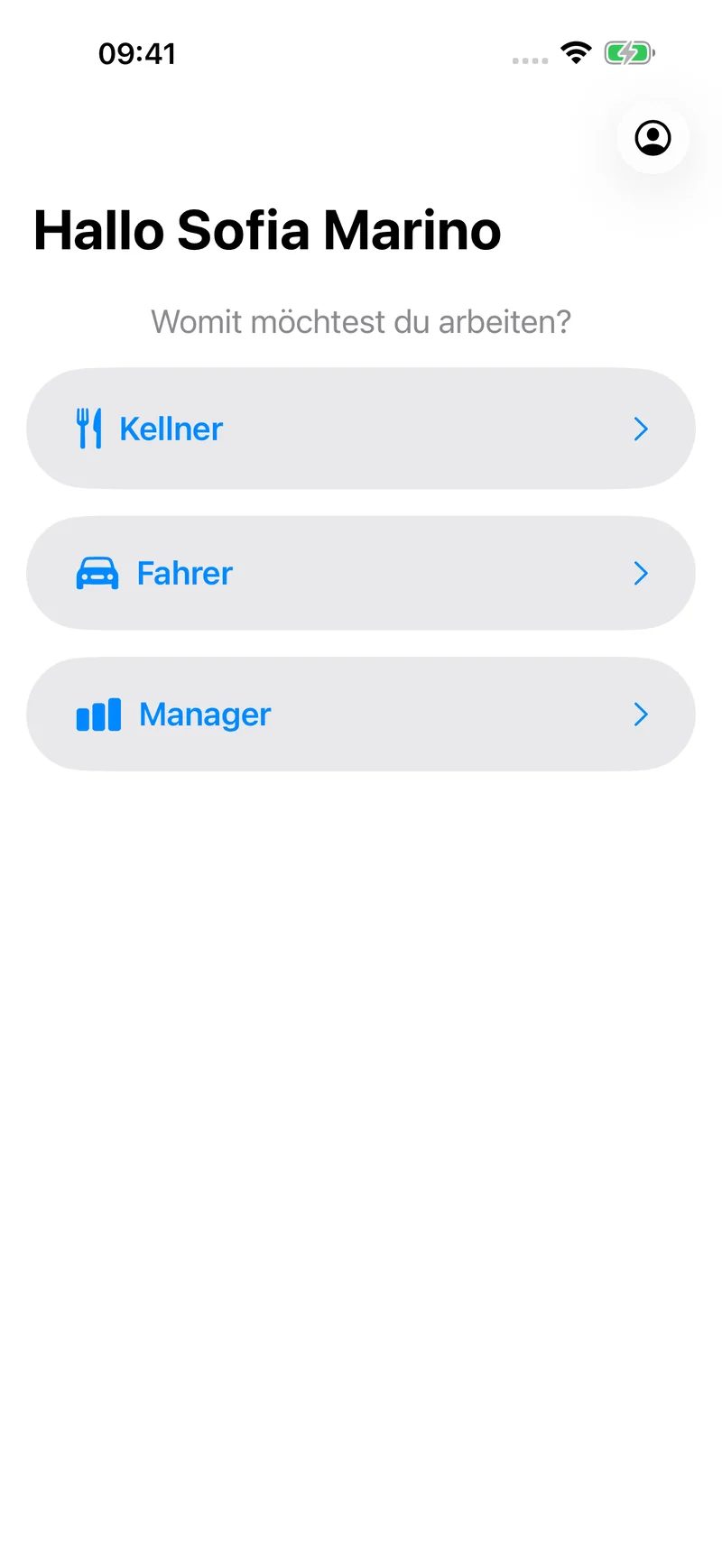
Waiter, driver, manager — each role gets exactly the view it needs in the DevyPOS iPhone app. Anyone doing both switches in the menu.

  • Waiter

    Table plan, ordering at the table, calling courses, splitting the bill.

  • Driver

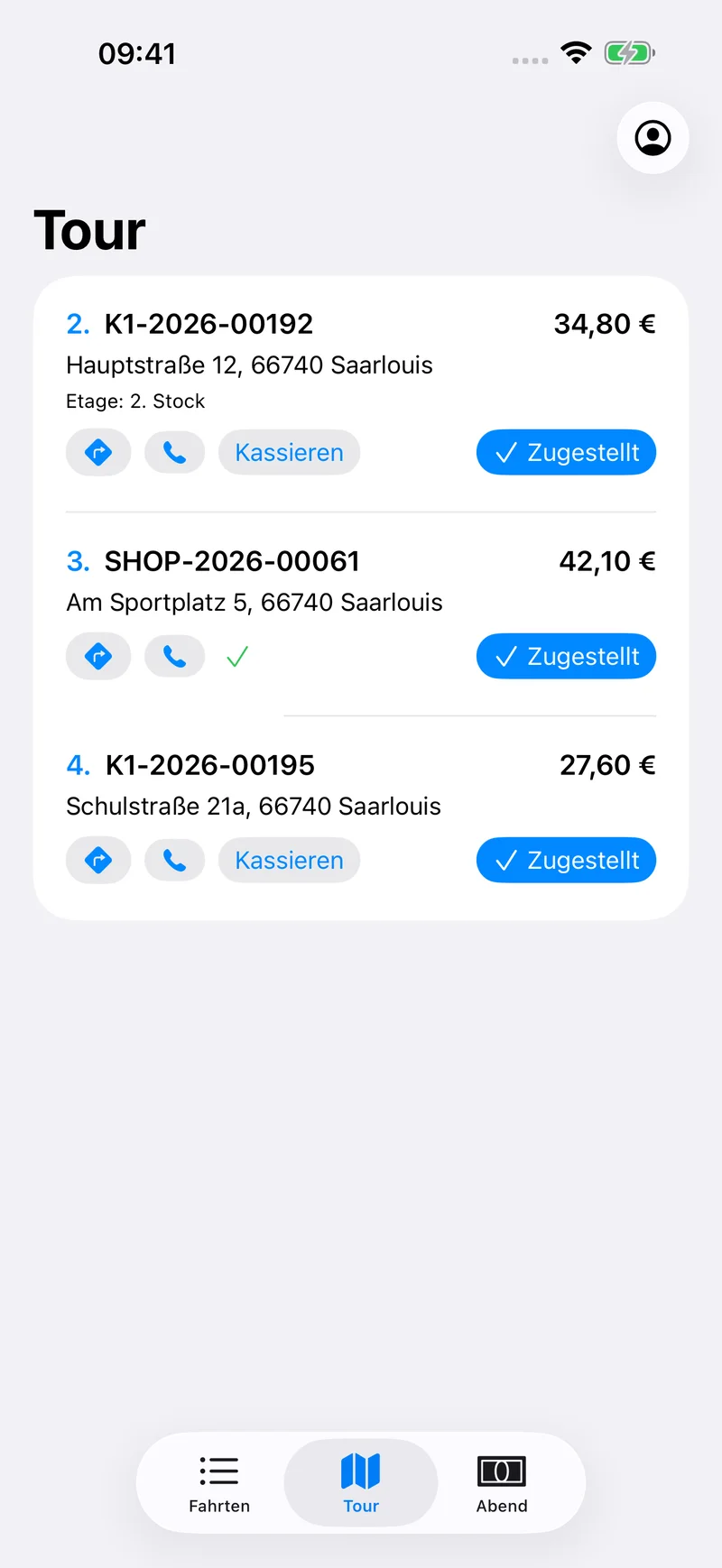
    Tour with stops, tick off delivered, take payment on the road.

  • Manager

    Daily figures, approvals for voids and discounts, back office on the go.

The staff app is coming to the App Store shortly. We will tell you in conversation what is ready by your start date.

Role selection in the DevyPOS app: waiter, driver, manager
Tour view of the driver app with three stops
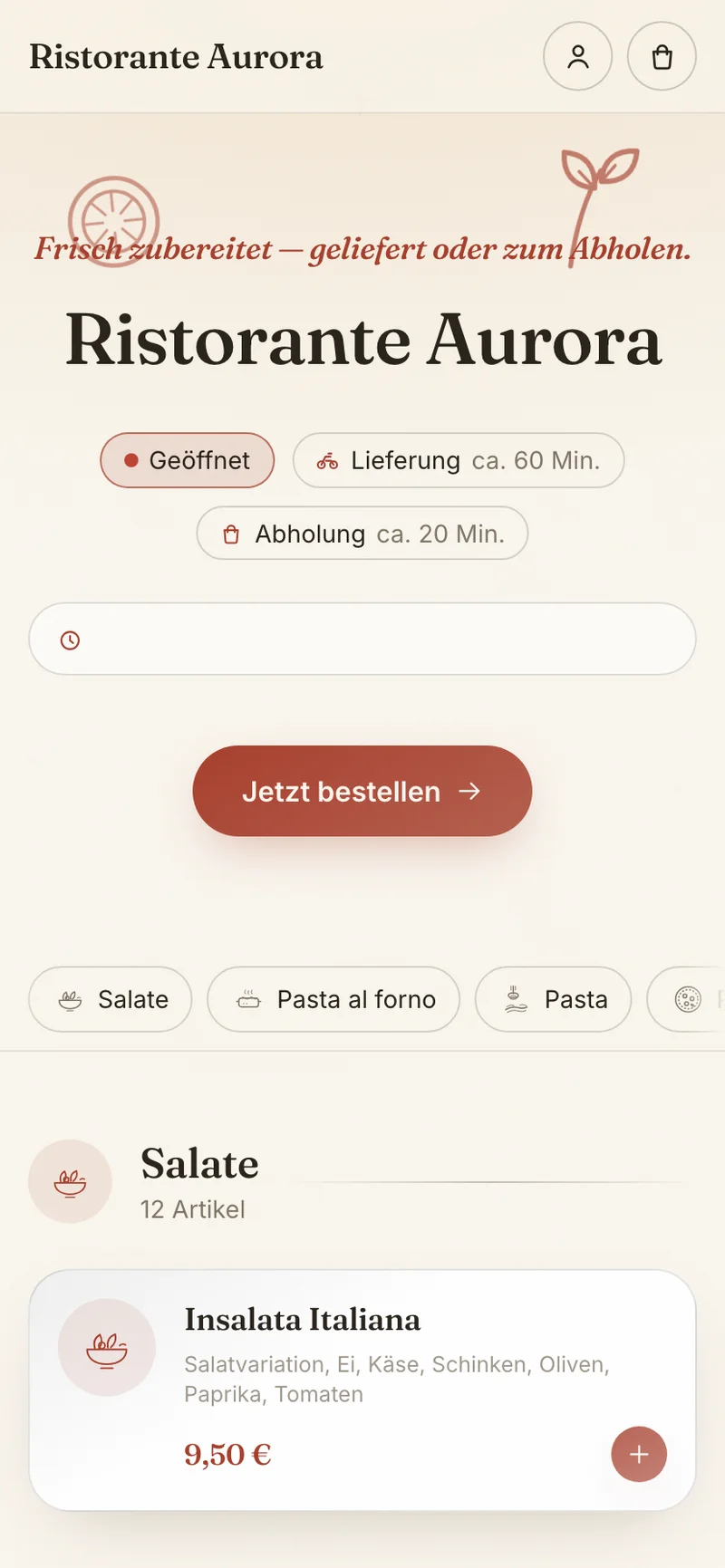
Home page of the online shop on a phone
03Online shop

Your guests order from you – not from a portal

Every instance comes with its own online shop. Same menu, same prices, same promotions – and the order lands directly in the till, without retyping and without a commission fee.

  • No commission

    The shop carries your name and your design. What the guest pays stays with you.

  • Toppings, sizes, required choices

    The guest chooses just like at the till — the kitchen gets the same ticket.

  • Card online, cash at the door

    Card payment via Stripe, cash on delivery. Prices are always calculated by the server.

04Receipts and audits

Properly documented when the tax audit arrives

Every receipt is recorded consecutively and unalterably. Closings, cash book and VAT are always available – and the DSFinV-K export delivers the data in the required format.

  • Receipt chain without gaps, a void is always its own transaction

  • X and Z closing per till, automatic closing at a night-time hour

  • DSFinV-K export as a zip file for your tax adviser and for audits

We set up the connection to a certified cloud TSE under section 146a of the German Fiscal Code before you go live. In our conversation we tell you openly which parts are ready at the time of your start and which are not.

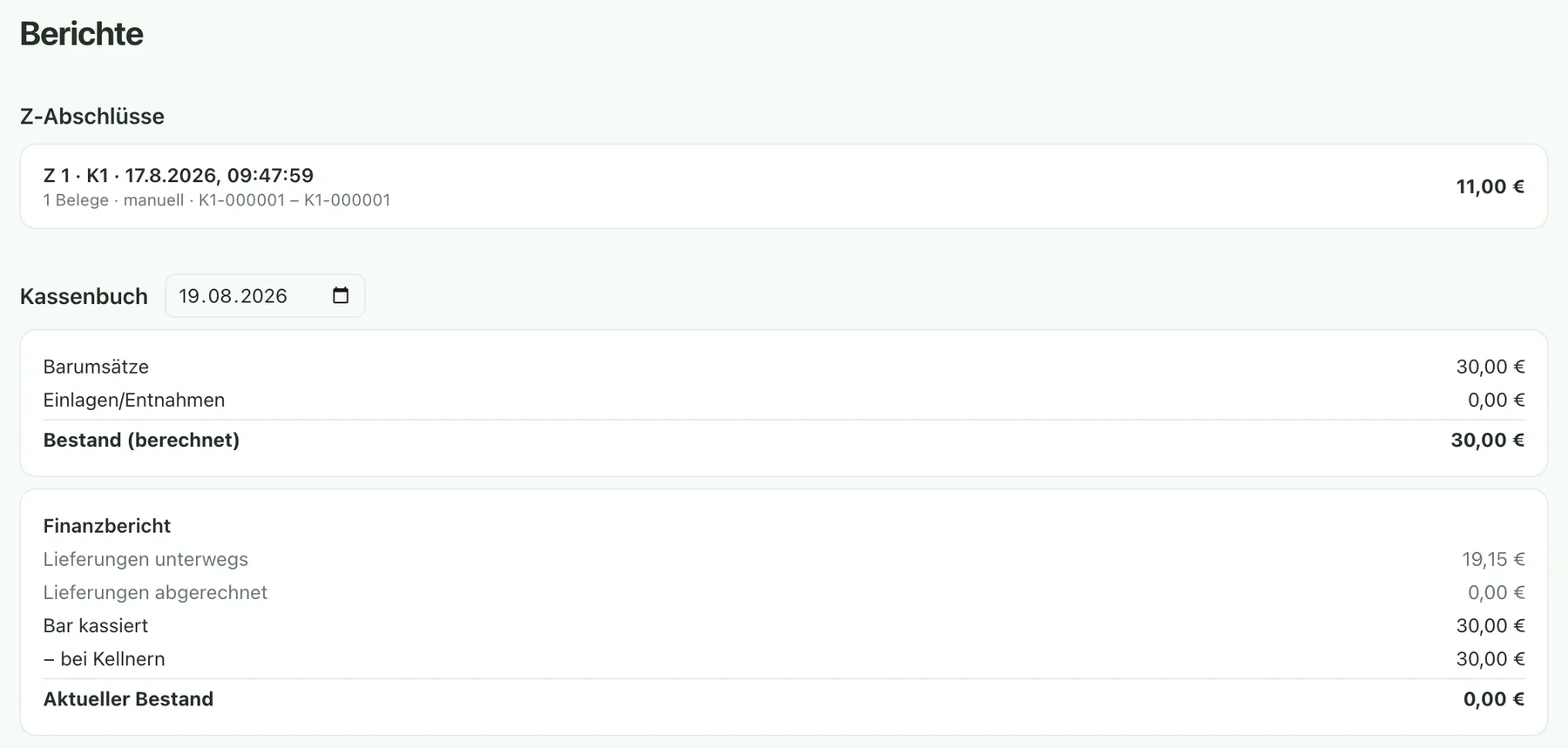
Reports in the back office: daily sales and closings
05Reports in the back office. Sales, payment types, closings — per day, per till, per driver.
05Hardware

Devices that survive the evening.

DevyPOS runs in the browser and as an app — on the POS terminal, on the iPad or on the touchscreen that is already on your counter.

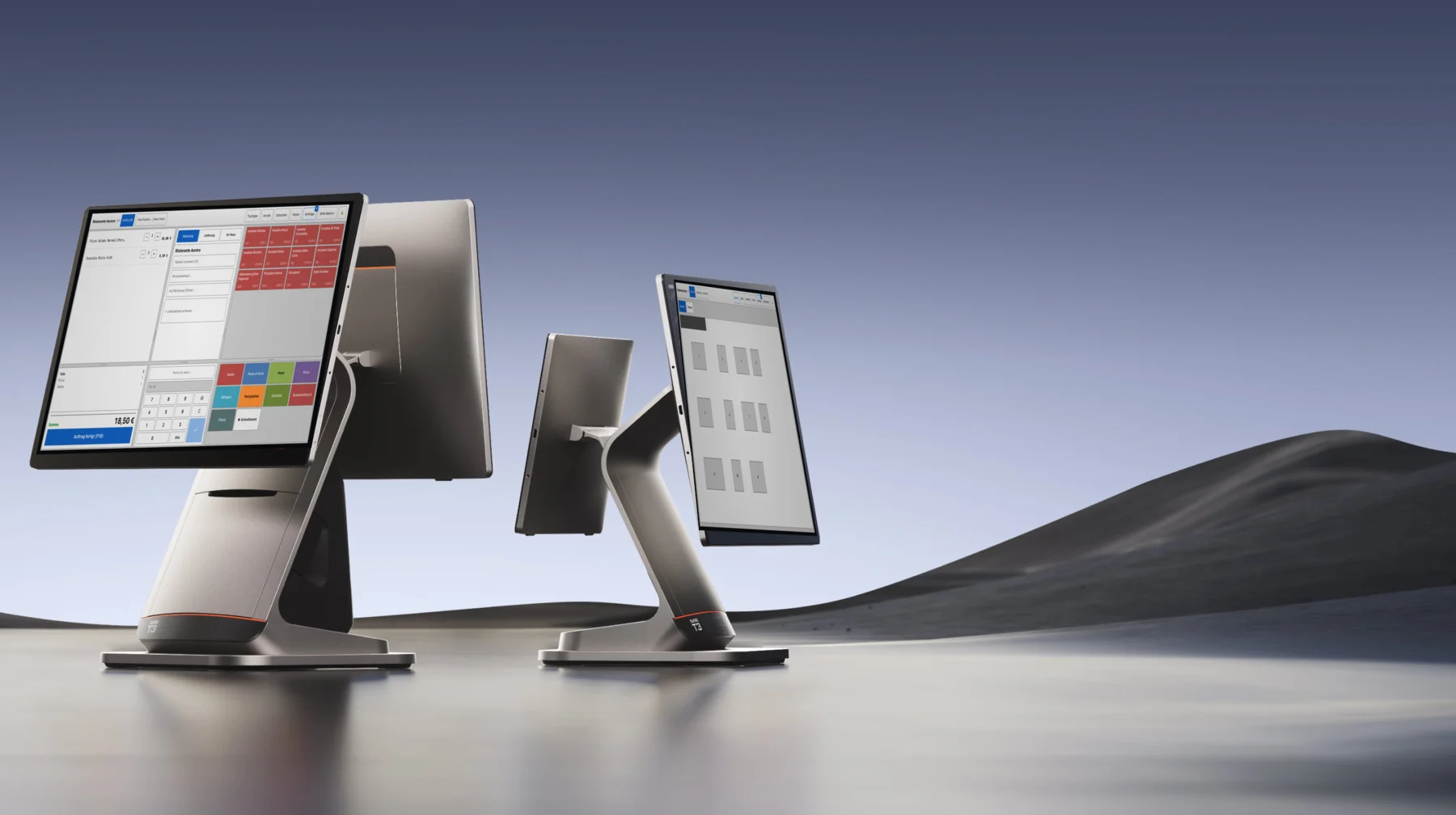
Sunmi T3 with customer display, both screens showing DevyPOS
06Sunmi T3 — our recommendation for the POS terminal: large touch display, customer display on request; receipt printers connect through the connector.
Elo POS computer with DevyPOS in the browser
07Elo 15E2 — proven POS touch computer; DevyPOS runs in the browser.
iPad with the DevyPOS till
08iPad — as a waiter device at the table or as a second till on the terrace.
  • Keep what you have

    We check devices you already own for suitability.

  • Printers & cash drawer

    The connector in the venue connects Epson receipt printers for kitchen, counter and drivers.

06Pricing

Three plans, no hidden extras

One price per venue and month – regardless of how many orders come in and how many people stand at the till.

POS

from59,00 €
per venue / month · Net price plus statutory VAT

In house and by phone, without an online shop. The complete till with caller ID, street directory, table plan, waiter tills, driver settlement, reports and DSFinV-K export.

Online shop and app can be added at any time

See the details

POS & online shop

from99,00 €
per venue / month · Net price plus statutory VAT

Everything from “POS” — plus your own online shop in your design, card payment online, orders without retyping, waiting times controlled from the till. No commission.

See the details

POS, online shop & appPopular

from129,00 €
per venue / month · Net price plus statutory VAT

Everything from “POS & online shop” — plus your own ordering app for iOS and Android under your name, push notifications on order status, publishing done by us.

Book a demo

All prices are net prices in euros plus statutory VAT and apply per venue and month. The offer is directed exclusively at businesses within the meaning of section 14 of the German Civil Code. POS hardware such as a touch terminal, receipt printer and cash drawer is not included in the monthly price. We will add suitable devices to our range shortly; until then we are happy to tell you which devices have proven themselves in practice.

01 · Conversation

You discuss your requirements with us.

02 · Setup

Menu, delivery zones, printers, online shop — done by us.

03 · Training

Your staff are trained, in their language.

04 · Launch

In an emergency we are reachable by phone.

Frequently asked questions
Which businesses is DevyPOS made for?

For delivery services, pizzerias, kebab and Asian takeaways as well as restaurants with delivery or collection. Everything that occurs together – phone orders, online shop, drivers and tables in the venue – is handled by DevyPOS in one interface.

Do I need new hardware?

Not necessarily. DevyPOS runs in a browser on common touch terminals and PCs; receipt printers are connected through the connector in your venue. We check existing devices for suitability beforehand. Suitable hardware will join our range shortly.

What about the TSE, the German cash security regulation and DSFinV-K?

DevyPOS keeps every receipt unalterably in a consecutive chain, creates X and Z closings and provides the DSFinV-K export. Connecting a certified cloud TSE under section 146a of the German Fiscal Code is done as part of putting your system into operation. What is ready at the time of your start is stated in writing in the quotation – we do not promise anything that is not there yet.

Can I bring my existing menu?

Yes. We transfer your menu with product groups, sizes, ingredients and prices during setup. From an existing till, item and customer data can often be imported – show us what you have.

What happens if the internet fails?

The till and printers in the venue keep working through the local connector once an order has been accepted. If the line is down for longer, the system documents the outage – exactly as the German Fiscal Code requires for continued operation.

Is billing per till or per venue?

Per venue. How many tills, waiter devices or screens you connect makes no difference to the price. A second location is a second venue with its own instance.
Show us your Friday evening.We’ll show you the till on it.

We show you the system using your own workflow: your menu, your delivery zones, your questions. Without obligation and without sales pressure.

+49 (0) 6825 9876-222

info@devypos.com · Monday to Friday, 9 am to 5 pm