Promotions and vouchers
Lunch offer, family pizza on Tuesday, three for the price of two: the till works these out itself – nobody has to do mental arithmetic.
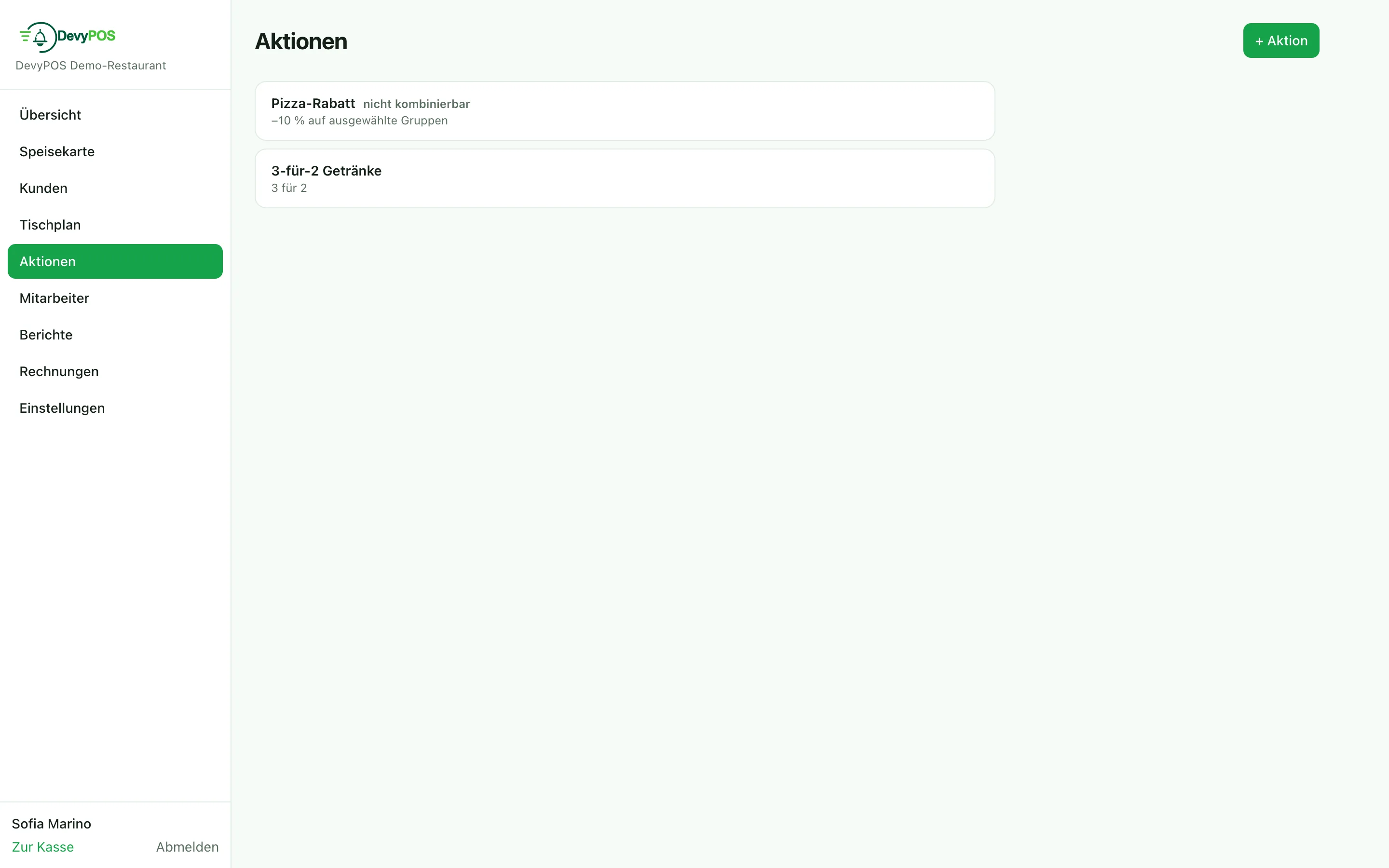
1. Creating a promotion
In the back office under Promotions, button + Promotion. Every promotion consists of a rule and its scope:
| Rule | Example |
|---|---|
| Percentage discount | Collection minus 10% |
| Fixed-amount discount | €2.00 from a €25.00 minimum order value |
| Fixed price (offer price) per size | Family pizza for €12.90 |
| X for Y | Take 3, pay 2 |
| Free item | From a goods value, every Nth order or the customer’s first order |
| Price level VK2/VK3 | Lunch price from the menu (happy hour) |
You narrow the scope in the same form: Weekdays, Time from/Time until, period From/Until, Order types (dine-in, pickup, delivery), Only these groups (for percentage discount, X for Y and price level), Only for sizes, Only for customer groups, Only on these channels (till, phone, web shop) and a Minimum order (€). If nothing is narrowed, the promotion applies everywhere.
2. Combining promotions
The Combinable with others checkbox is off for a new promotion. Without the checkbox the promotion applies alone: of all non-combinable promotions only the one with the highest Priority applies per order; in the list it is shown as not combinable. Promotions with the checkbox are applied in addition. This prevents two discounts from stacking.
3. Vouchers
- At the till, Voucher → Issue: enter the amount and tap Issue. The code appears on screen, and the voucher ticket with code and QR code is printed on the main printer. Only staff with the permission Issue vouchers see the Issue tab.
- When taking payment, Redeem voucher, scan or type the code: the amount appears as its own line on the receipt.
- A remaining balance stays on the voucher and can be redeemed later – indefinitely, unless a Voucher validity in months is set under Settings → Register & closing. Voucher → Look up shows Issued, Redeemed and Balance for a code at the till.
All vouchers with code and balance are listed in the back office under Reports, section Vouchers – with a search by code and the history of every redemption. Issued and redeemed vouchers appear in their own block on the end-of-day closing. In accounting terms, issuing a voucher is not revenue – which is why it is shown separately.