Customers and phone
On the phone every second counts. DevyPOS recognises the number and puts the customer in front of you before you have finished saying “good evening”.
1. The call
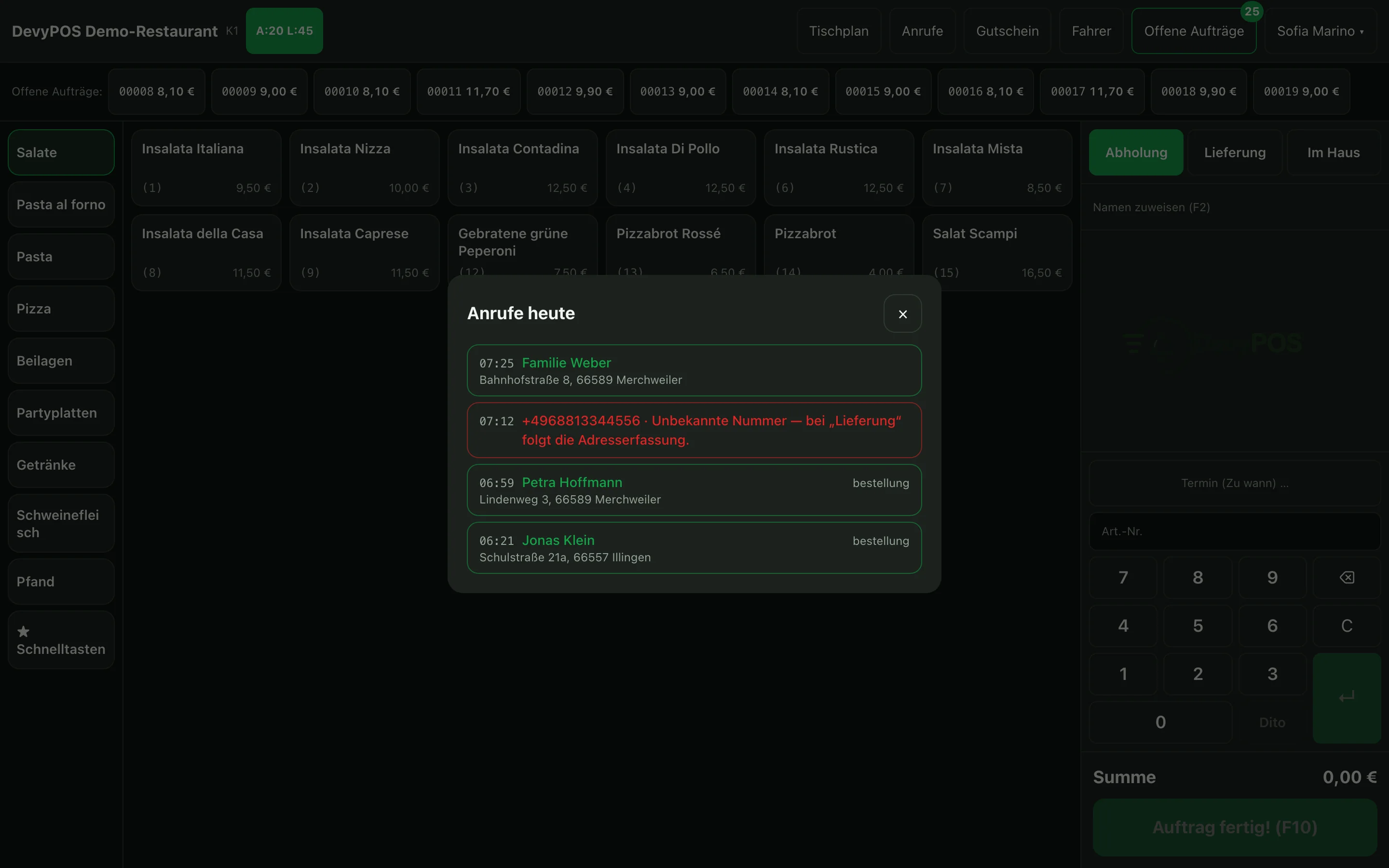
When the phone rings, Incoming call appears: for a known number with a green frame and name, address and the number of previous orders, for an unknown number in red with the number and the hint Unknown number. Delivery or Pickup takes you straight into taking the order; × dismisses the call – it stays listed under Calls. The window only pops up on the main screen and with an empty order, so nobody is interrupted in the middle of ringing up.
If the number is unknown, Delivery leads directly into address entry.
2. Call monitor
Under Calls, Today's calls opens with every call of the day, including missed ones – green if the number belongs to a customer, red if it is unknown. When the phone rings three times at once, tap the call here at your leisure: the same window opens as when it rang, with Delivery and Pickup.
3. Capturing the address
If you choose Delivery without a recognised call, the till first opens the customer prompt. Under Phone number you type only the subscriber number – the area codes stored under Settings → Caller ID are offered next to it, for mobile numbers choose other area code – and the matching customers appear as you type. Under Customer search you find the customer by name or phone number. If the number is unknown, the till asks Create one now?; Create customer opens the Delivery address form with the number already filled in. You reach the form directly via + Enter delivery address in the customer block.
- Enter name and phone number (fields Name and Phone).
- Start typing the street – the street directory suggests matching streets, even from partial words.
- Tap the suggestion – postcode and town fill in by themselves. Then add the house number in the No. field. If you type the postcode by hand, the till suggests only the postcodes of your delivery zones and takes over the town along with the suggestion.
If the postcode lies outside your zones, the till reports: this postcode is not in the delivery area. You can then continue the order as a collection.
4. Avoiding duplicate customers
While you type the name, the till asks: Ordered before? Possible matches — tap to take over: The same list also appears via the address: as soon as postcode or town are set, the till shows the customers at this address and narrows it further with street and house number. One tap adopts the existing customer – Existing customer selected — the new number will be linked to them. – and attaches the new phone number to them. That way one family does not end up with three records.
If a duplicate has been created anyway, merge it in the back office under Customers: expand the customer, choose the duplicate record under Merge duplicate and confirm the prompt. Orders, phone numbers, addresses and bonus points move to the customer you keep; the duplicate is deleted. This requires manager rights.
5. Customer groups
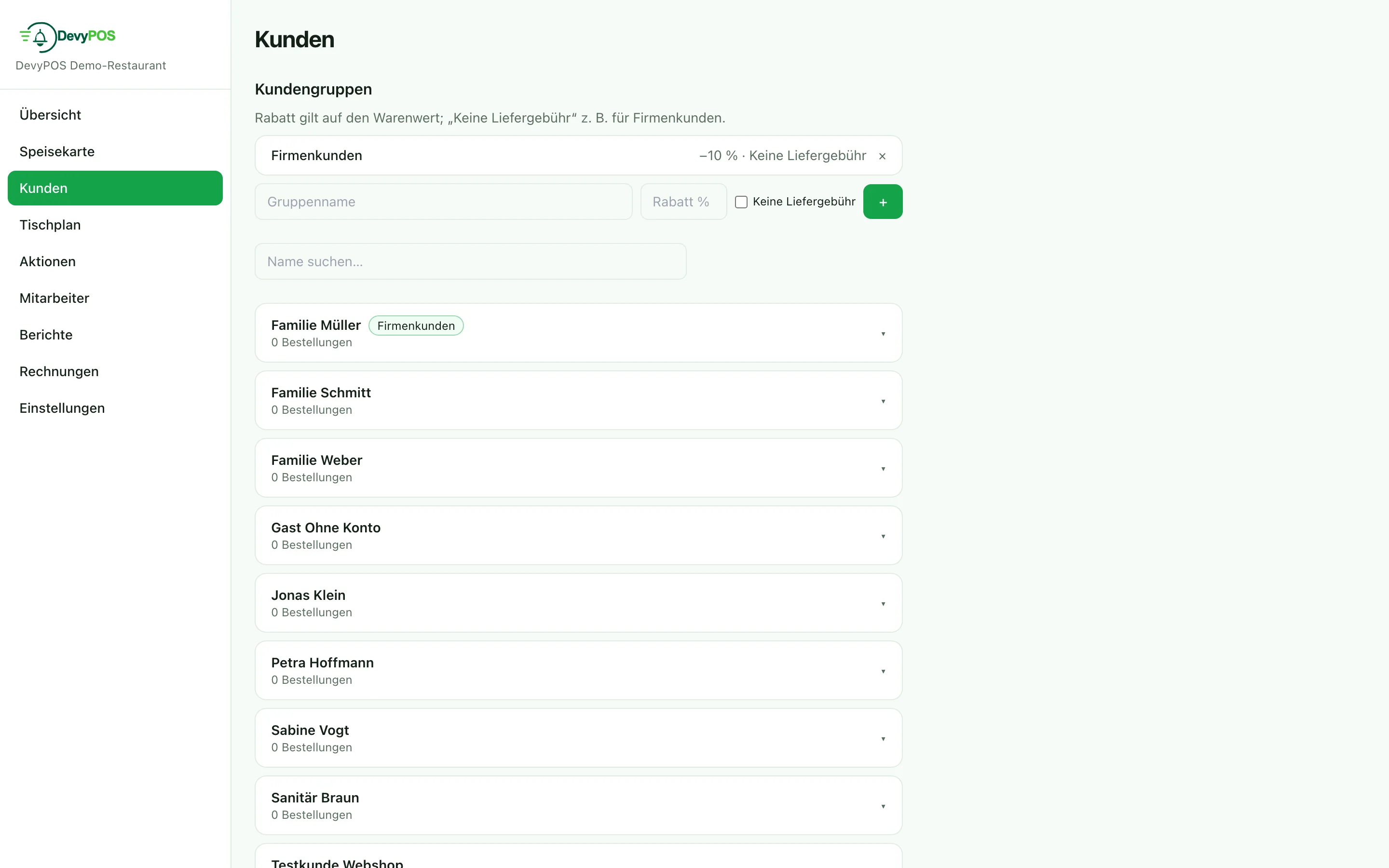
In the back office under Customers you create groups – such as regulars or company customers – with Discount % and the option No delivery fee. Expanded, every group offers further rules: discount per unit, discount only on certain product groups, own travel pay, minimum order value and “free from”, price level, no bonus, no free item. The discount applies to the goods value and takes effect automatically as soon as the customer is attached to the order – you choose the group on the customer or directly in the address form at the till.
6. Consents, data report and deletion (GDPR)
On the customer record, under Consents (GDPR), you note whether they want to receive Marketing by phone, Marketing by post or Marketing by email. Below it, Mail merge / marketing filters your customers – for example “no order for 90 days” – and, once a marketing channel is chosen, counts only customers with the matching consent; the result list can be exported as CSV. You take over existing customer data under Import customers (CSV).
If a customer requests access to their data or deletion, you handle both on the customer record under Data protection (GDPR) – managers and admin may do this. Create data report opens a report with everything DevyPOS has stored about this customer: master data, phone numbers, addresses, orders, calls, reservations, bonus points, web shop account and invoices. Print it or save it as a PDF; Download as file (JSON) delivers the same data in machine-readable form (Art. 15 and 20 GDPR). Delete customer (GDPR) removes, after a confirmation, the name, phone numbers, addresses, e-mail, note, consents and web shop account; bonus points are forfeited. Orders, receipts and invoices are kept because of the statutory retention period, only without the phone number (Art. 17(3) GDPR). The customer no longer appears in any search or caller identification. Every report and every deletion is recorded in the data protection log with operator and time.
7. Distance and driving time to the delivery address
As soon as an order has a delivery address, the customer block shows the driving distance from the restaurant and the approximate driving time underneath it, for example 3.2 km · approx. 9 min. In the driver area the kilometres appear next to every open delivery, so orders heading the same way are easier to combine into one tour.
The figures come from DevyPOS's own map service with OpenStreetMap data for all of Germany. No Google or other third party is contacted, and no customer address leaves the system. Each address is looked up only once and then remembered.
- Location of the restaurant: It is derived from the address in the back office under Settings → Business. After saving, Location (for distance and driving time) appears there with the coordinates found; Determine location again repeats the search, for instance after an outage.
- ≈ in front of the figure: The house number is not in the directory – the value refers to the middle of the street or the postcode area.
- No line at all: The location has not been determined yet, the address was not found, or the map service is currently unavailable. The order itself is not affected.