End-of-day closing and reports
Three steps at the end of the evening: settle drivers and waiters, count the money, run the Z closing.
1. X report: the interim status
The X report shows the status since the last Z closing without closing anything. At the till you open it in the operator menu (tap your own name) via the X report (interim) tab; Print X report sends it to the receipt printer. In the back office it is under Reports as Interim since last Z. You can call it up as often as you like – at a shift change, for example.
2. Finance report: where the balance comes from
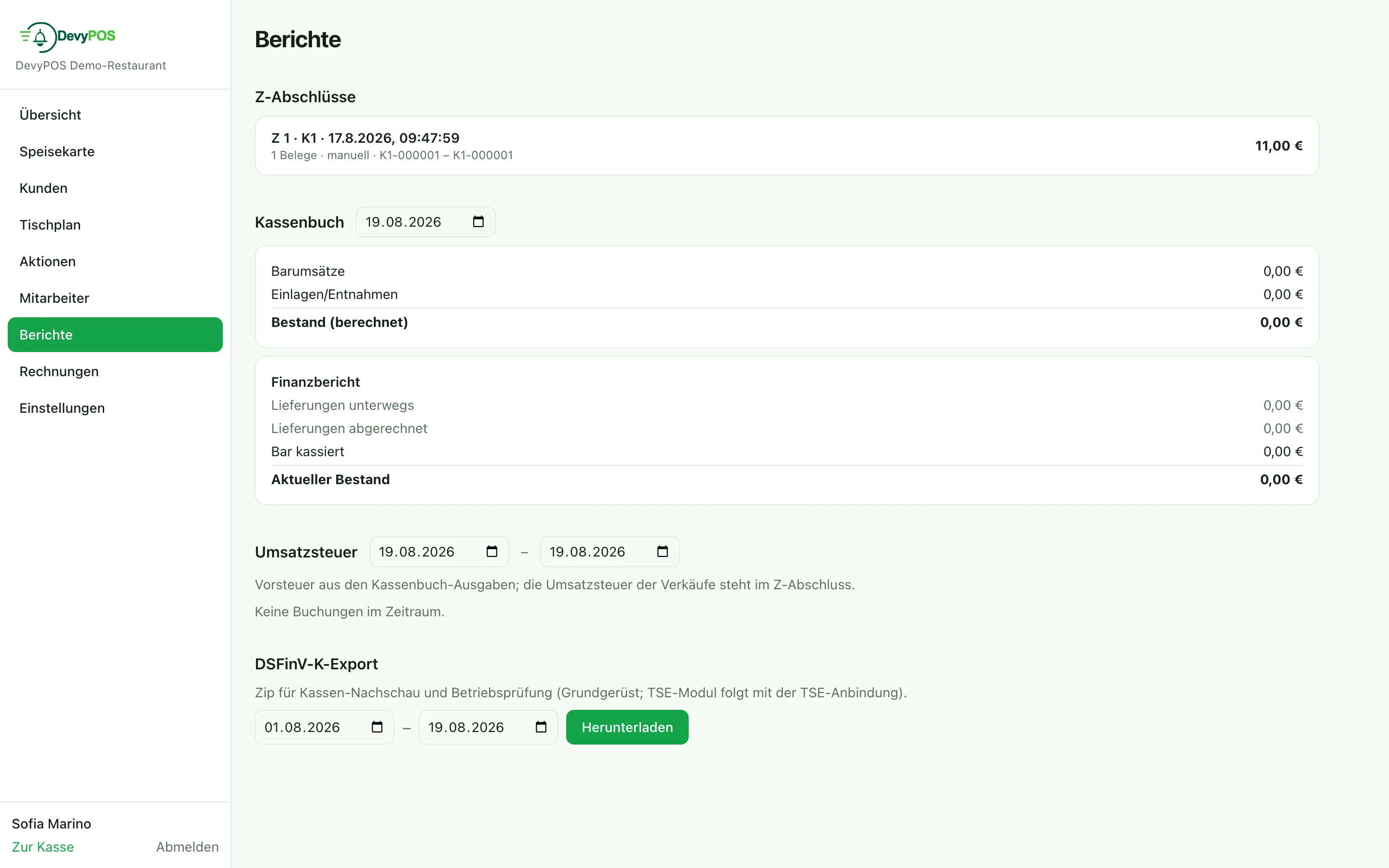
The finance report – at the till the Info tab in the operator menu (How the balance adds up), in the back office under Reports next to the cash book – derives the cash balance step by step:
| Deliveries en route | Money still with the drivers |
| Deliveries settled | Already handed over |
| Cash collected | Received at the main till |
| Held by waiters | Collected but not yet settled |
| Per booking type | Deposits and withdrawals from the cash book, one line per booking type; plus Driver settlements and Waiter settlements (transfer only) |
| Current balance | What should be in the drawer |
You enter the amount actually counted in the Z closing tab under Count money (€) – or via Count … with the counting aid, number of each note and coin. The till shows the difference to the cash expected immediately instead of hiding it; it also appears in the finished Z closing and in the Z archive of the back office.
3. Z closing
- In the operator menu (tap your own name) open the Z closing tab. Cash expected is at the top.
- Enter the counted amount (optional, but recommended).
- Run daily closing. Without the permission for the closing the till only shows Managers only. here.
The traffic light at the top of the operator menu shows in advance whether you can go ahead: red – open orders, charge or void them before closing; yellow – tours not yet settled; green – Ready to close — nothing open. If orders are still open, the till warns you beforehand (There are still open orders) and offers three ways: Charge all … orders as cash now (every order gets its own receipt and counts towards this closing), Leave orders open (they count towards the next day) or Cancel — no closing. Finally Run the daily closing? asks once more – the closing cannot be undone, the Z number is assigned and all sales since the last closing are locked in. Several closings on the same day are possible; afterwards work can continue as normal.
Under Settings → Register & closing you can set an automatic end-of-day closing at a fixed time – for a delivery business usually at night, when the venue is certainly closed.
4. DSFinV-K export
In the back office under Reports, in the section DSFinV-K export, choose the period (from – to) and download the zip file with Download: master data, receipt headers, line items, payment types and VAT per closing. This file is what is requested during a cash inspection – if in doubt, show it to your tax adviser once in advance.
Next to it you find the DATEV export (cash book): a batch of postings in DATEV format (SKR04) with the daily sales per Z closing, cashless payment methods as cash in transit and the manual bookings against the DATEV contra account of the respective booking type; you enter the contra accounts directly below.