Ingredients, sizes and special requests
“No onions, extra cheese, and the family size instead of the normal one” – this is exactly where a till proves itself in daily use.
1. Changing ingredients
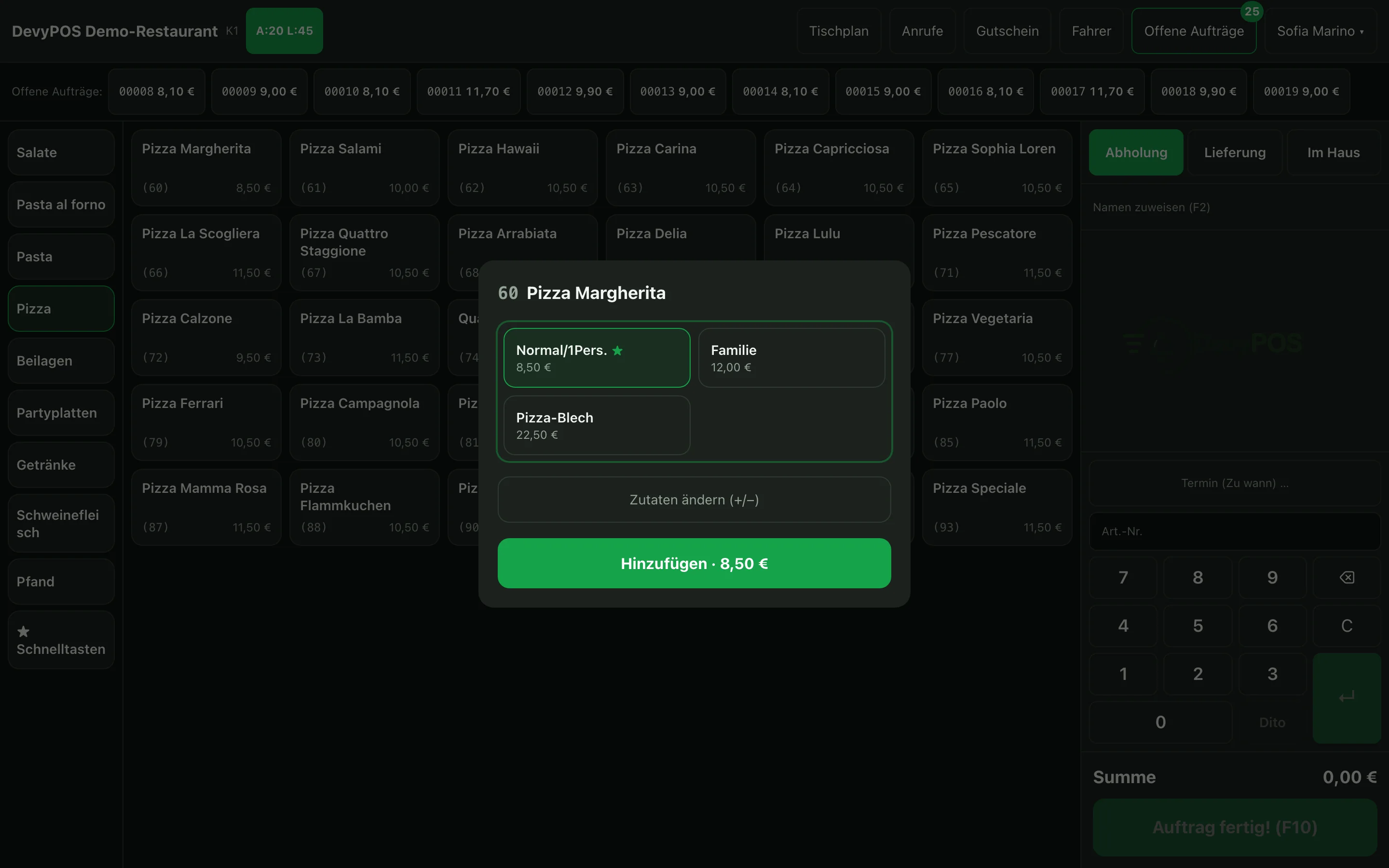
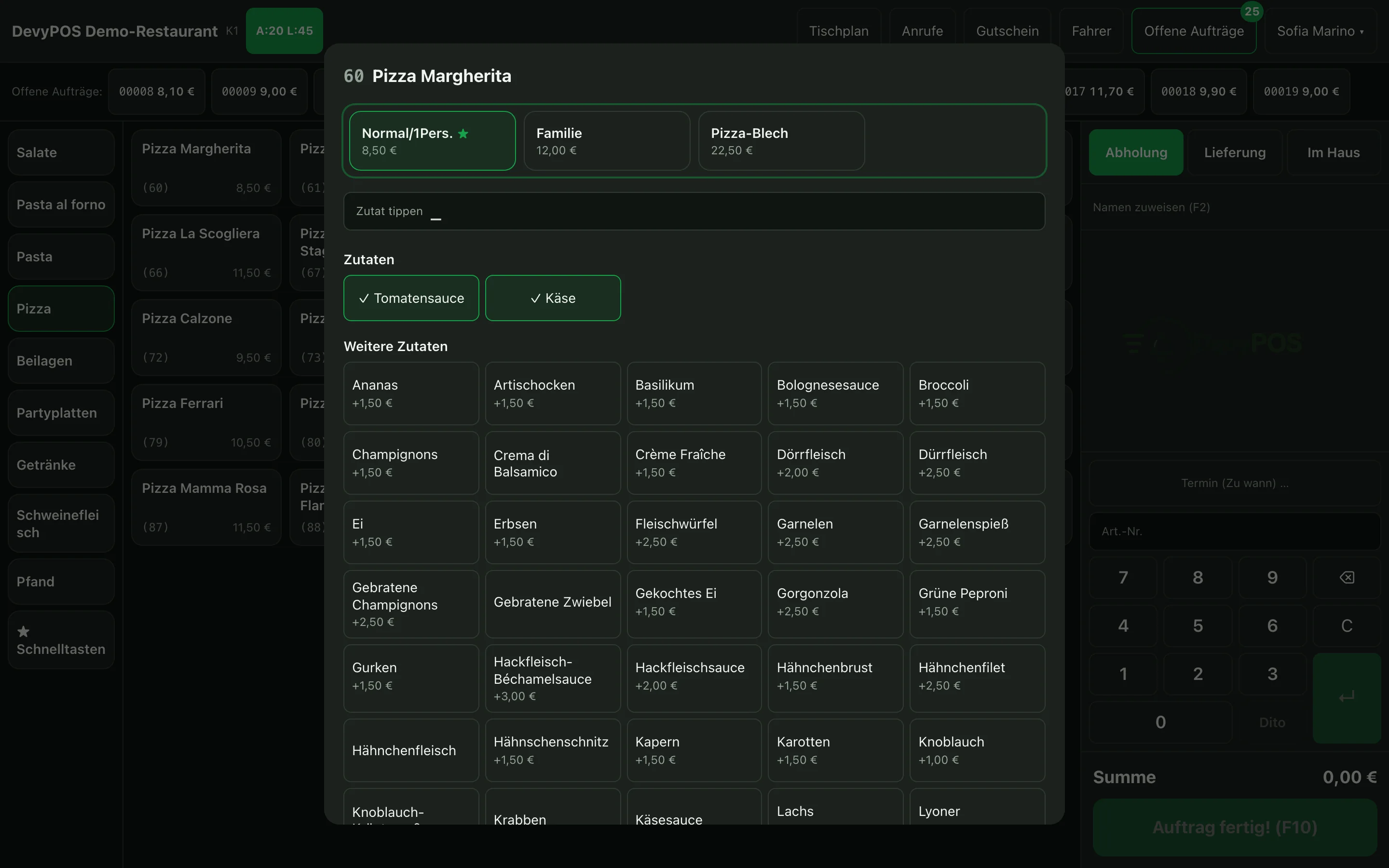
When ringing up, the till opens the item window as soon as there is something to decide – size, required choice or price; there you tap Change ingredients (+/−). For a line already rung up, tap it in the order: the window opens straight on the ingredients, and Apply change replaces the line. On a keyboard, + and − open the ingredients of the line rung up last. You see two kinds of ingredients:
- Base ingredients – what is on it by default. Removing one produces its own line no onions on the ticket so the kitchen does not miss it.
- Optional ingredients – these cost extra, with a different price per size.
How removals and additions are offset against each other is defined on the item:
| Setting | Meaning |
|---|---|
| fair | For every ingredient removed, one added is free |
| none | Removal without credit, additions cost the full price |
| exact | Exact calculation with deduction |
2. Sizes
The sizes are a list belonging to the business – for example normal, family, 0.3 l. Exactly one of them is the default size and is preselected at the till (Menu → Sizes tab, there Default size). An item exists in a size only if a price is entered on the item under Prices per size; left empty simply means: not available.
3. Choice items (required choice)
Some items need a decision before they may go on the order – the pasta type, the side dish for the schnitzel. You create such choices under Menu → Choice items (a choice such as Pasta type with its options, with an optional surcharge per option) and attach them to the item. At the till the item window asks for exactly one option after the size; the cheapest is preselected, a surcharge is shown on the option and is added to the price.
4. Price prompt
For everything that is not on the menu: items with the property Ask for the price when booking open an input field for the amount. Special orders are booked properly instead of disappearing as “on the house”.
5. Discount
Give a discount… in the payment dialog (after Charge) deducts a discount in percentage steps from the order; you set the label and the steps under Settings → Discount key. Who is allowed to do this depends on the role – managers and admins yes, cashiers and drivers not by default – see Users and rights.