Payment, receipts and voids
Every order ends with taking payment. It is deliberately short – and still documented without gaps.
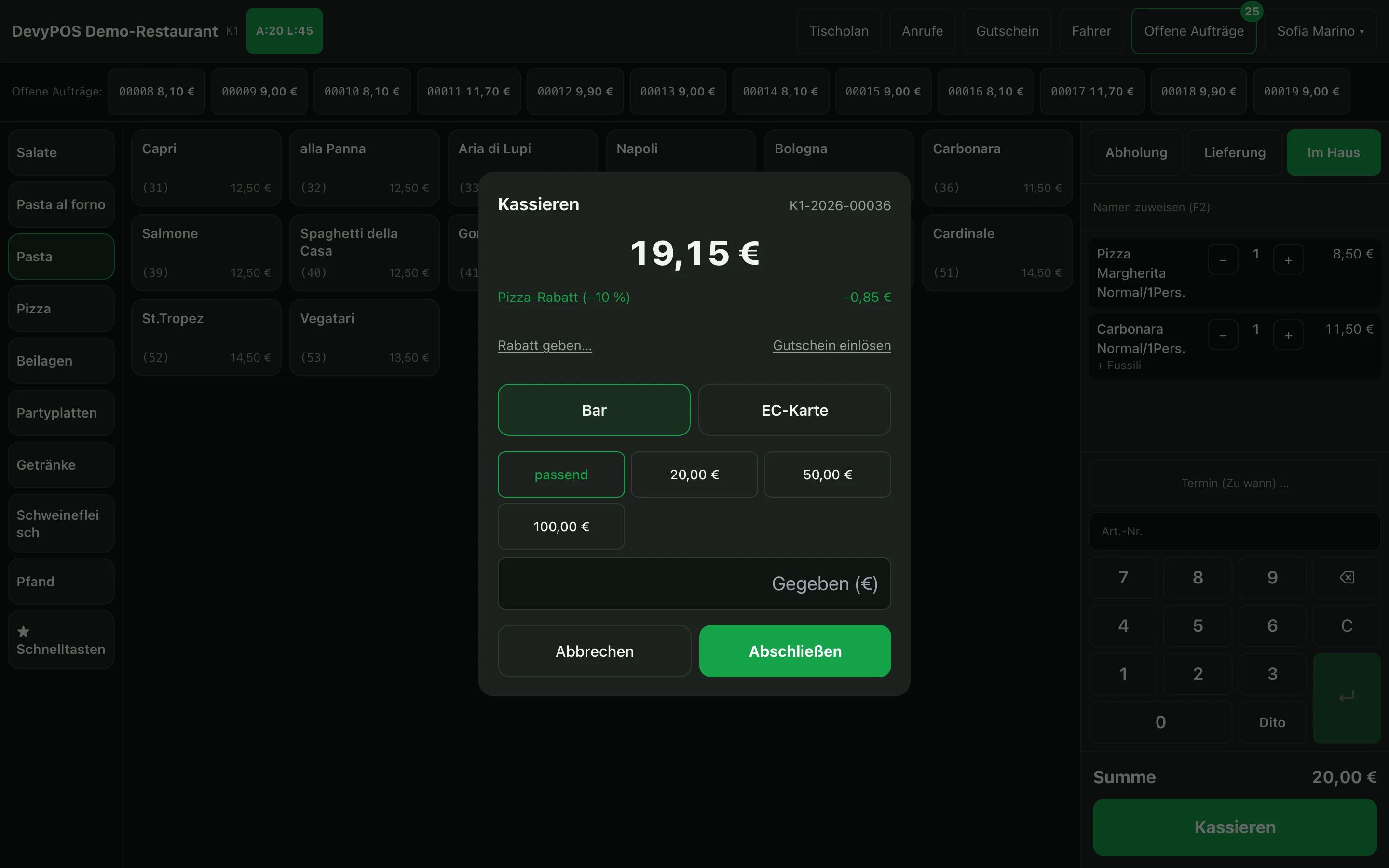
1. Taking payment
- Tap Charge. The total is at the top.
- For cash, enter the amount received under given – or tap exact if it works out.
- The till calculates the change.
- Finish – the receipt is printed and the order is paid.
For card payments or orders already paid online in the shop, the cash entry is skipped.
2. What is on the receipt
- name, address and tax number of your business,
- consecutive receipt number, date and time,
- all line items including ingredient changes such as no onions,
- VAT per rate,
- payment type and – if applicable – the saving compared with the menu price.
3. Voiding
A void deletes nothing. It creates a separate transaction that refers to the original receipt. Both stay in the receipt chain – which is exactly what an audit expects. Who may void depends on the role.
The way goes via Orders: you void an order that is still open in the order window with Void and a reason such as Test entry or Customer cancelled. If the order has already been paid, the button is called Void receipt & edit: the receipt is voided with a counter receipt, the order is open again afterwards and can be changed or voided as well. If an operator lacks the permission, the till asks for approval by an authorised person – by manager PIN, chip card or a request to their phone.