Maintaining the menu
You maintain the menu once – the till, the online shop and the app then show the same thing.
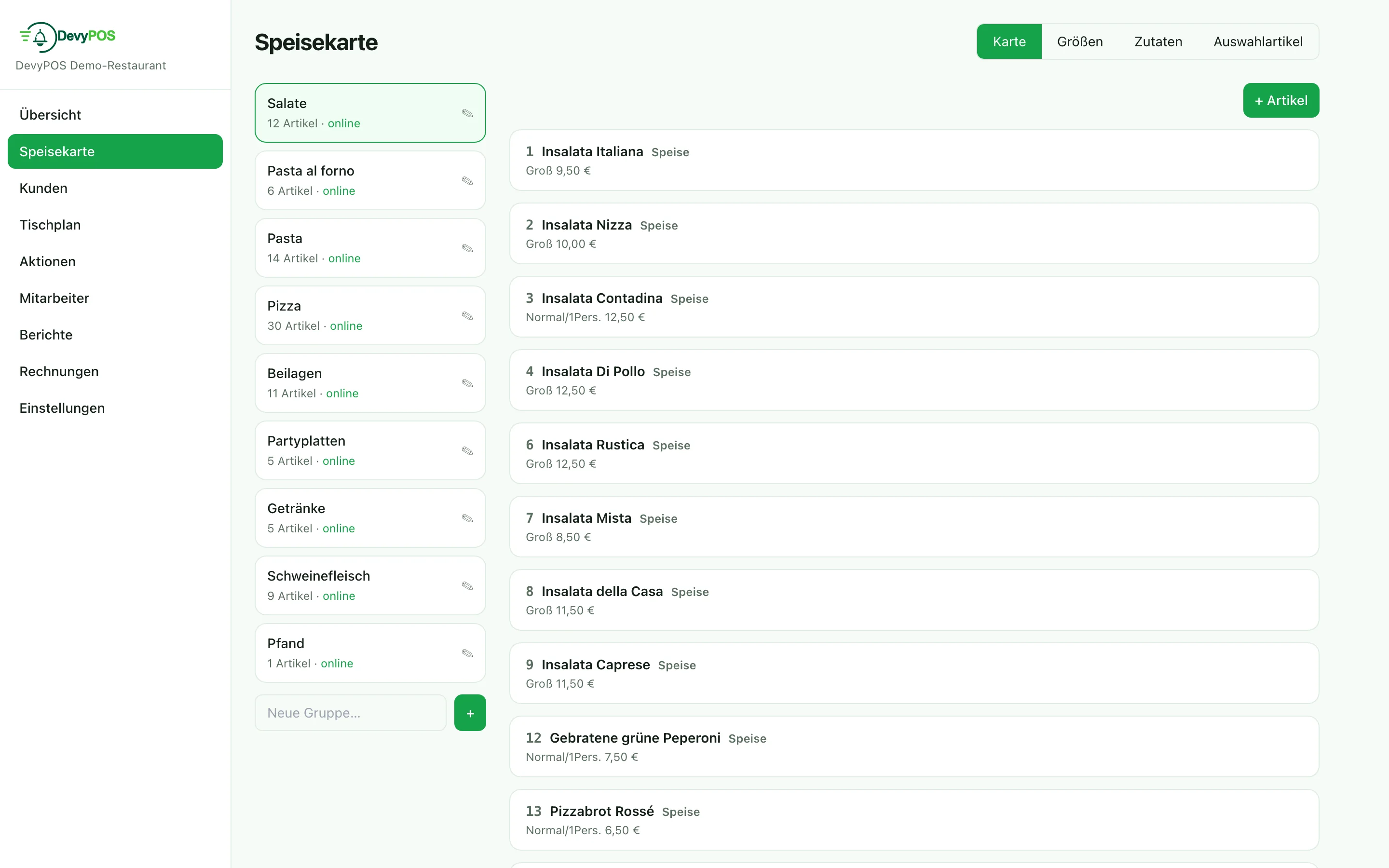
1. Product groups
Product groups organise the menu and control four important things along the way:
- Tax default – food or drink,
- Kitchen printer – where the items of this group are printed (pizza oven, grill, counter),
- Tile colour – for finding things quickly at the till,
- Publish in the web shop – so a whole group can stay available at the till without appearing online; optionally with its own Name in the web shop.
In the Menu tab the product groups are on the left, the items of the selected group on the right. The pencil next to a group opens Edit product group; you create a new group below the list via New group….
2. Items
You create a new item in the selected product group with + Item; clicking an item opens it. For each item you maintain:
- name and short name (maximum 16 characters – it appears on the receipt printer and the order display),
- product group and tax category,
- prices per size in the price table,
- optionally collection and dine-in prices – you show the two columns via Show pickup/in-house prices; if they stay empty, the standard price applies,
- ingredients (what is on it by default) and the matching extras groups.
3. Sizes
You maintain the sizes in the Sizes tab as a separate list belonging to the business. Exactly one of them is the Default size – always preselected at the till. In the price table per item you only enter the sizes that actually exist – an empty field means “not available”.
4. Ingredients and choice items
- Ingredients (Ingredients tab, in extras groups) can be added and removed freely, with a single price or a price per size.
- Choice items (Choice items tab) are a required single choice: the till asks for exactly one option – schnitzel with chips or croquettes, for example.
5. Quick keys
Under Settings → Quick keys you fill a tile panel freely with three kinds of keys: item, comment (attaches a note such as “well baked” to the last line) and price prompt.