Salon till: services and “served by”
In a salon, payment is taken by service and staff member. If your business is set up as a hairdresser, beauty or fitness & classes, DevyPOS shows the salon till – without table plan, kitchen, drivers or delivery.
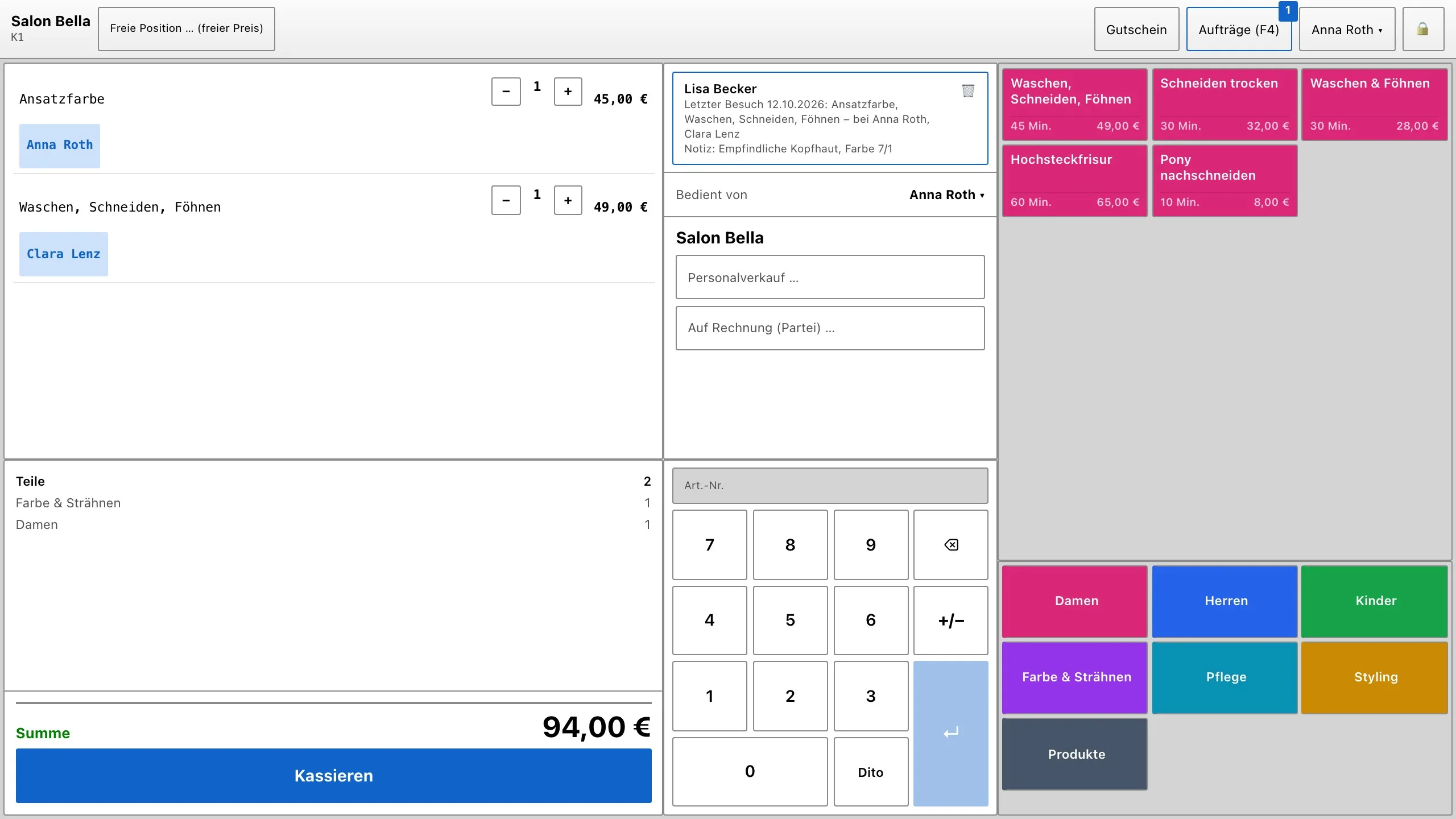
1. Services with duration
You create services in the back office under Services & products. In the field Duration (minutes) enter how long the service takes; the tile at the till then shows, for example, 45 min. The tick box Bookable online (appointment page) determines whether the service appears on the booking page. Care products to take home are created as normal items and sold at the same till.
2. “Served by”
- The staff member who is signed in is preset.
- The line Served by above the ticket applies to the next lines; a tap opens the list of staff members.
- Under each line there is a name tag. Tapping it assigns this one line to a different staff member.
- After payment, the selection returns to the staff member who is signed in.
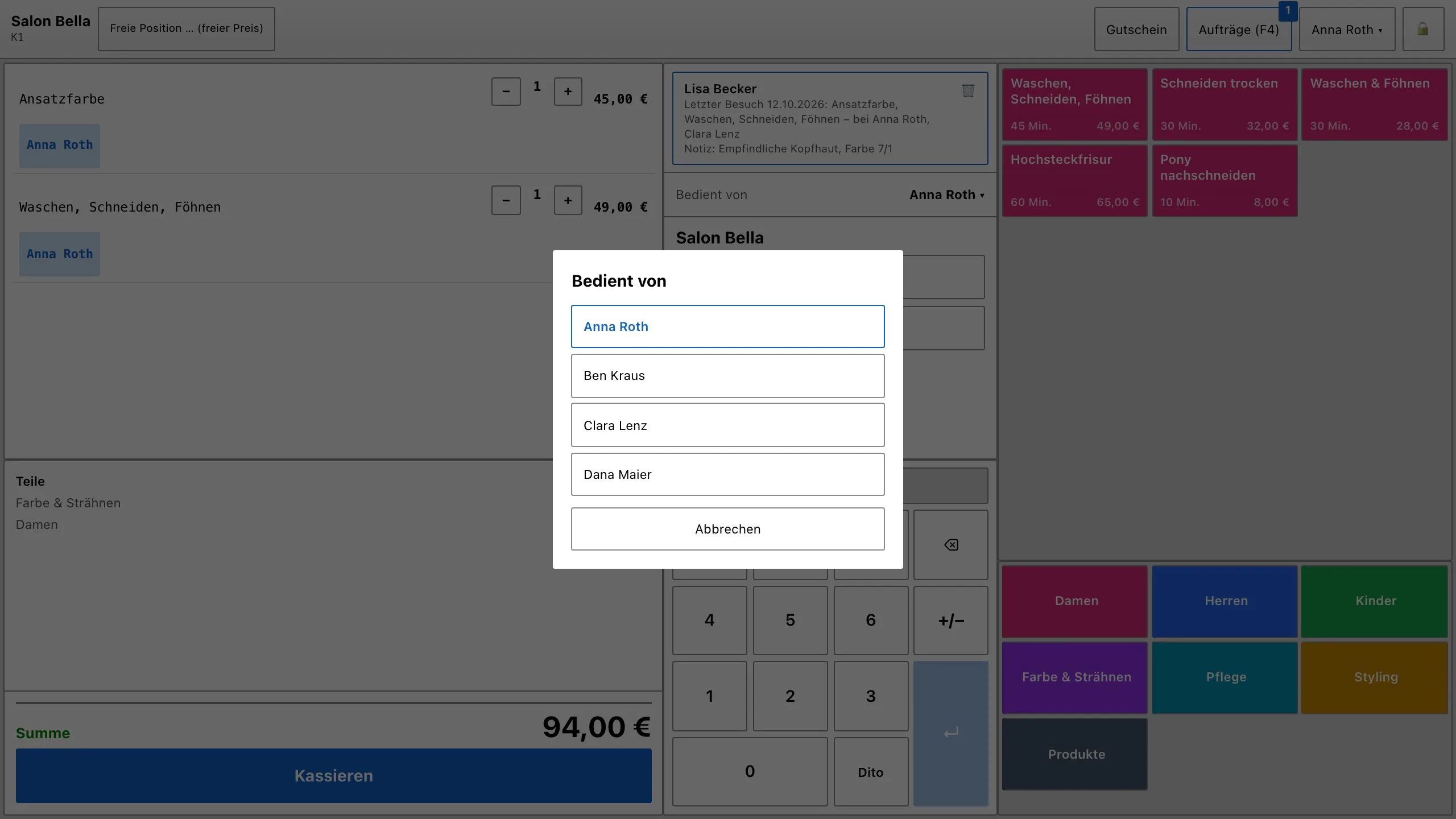
3. The customer card
With Choose customer you fetch the customer from the customer file. The customer card shows the last visit with services and who served – or First visit –, the next appointment and your note, for example about the colour.
4. Sales per staff member
In the back office under Reports, Top & flop sellers / revenue heatmap also opens the table Sales per employee after Analyse. It counts by “served by”, otherwise by the person who rang it up; voided receipts do not count.